
Storage Hunter Simulator


Kompatibilitetskontroll
- SKU
- storage-hunter-simulator-2925

Beskrivning
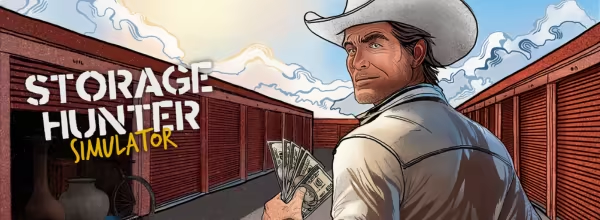
Enter the thrilling world of Storage Hunter Simulator, where you'll face off against daring bidders in high-stakes auctions. Fight for abandoned garages packed with mysterious treasures and test your appraisal skills to rise in the ranks of the storage world!
List of features:
- Compete in intense storage auctions and uncover hidden gems.
- Sell valuable items to collectors and maximize your profits.
- Improve your appraisal skills and become a renowned storage hunter.
- Discover thousands of unique items and learn their true worth.
- Start and grow your very own pawnshop business from scratch.
Who should buy it:
If you enjoy strategy, risk-taking, and the thrill of discovery, this game is made for you. Ideal for fans of reality TV auctions and tycoon-style simulators, Storage Hunter Simulator offers deep gameplay and endless opportunities to profit from your instincts. Take the leap and build your own empire – one garage at a time!
All trademarks are property of their respective owners.
Systemkrav
Requires a 64-bit processor and operating system
Requires a 64-bit processor and operating system
OS: Windows 10
Processor: Intel Core i5 4590
Memory: 8 GB RAM
Graphics: NVIDIA GeForce GTX 1650/AMD Radeon RX 5500
Storage: 8 GB available space
Installationsguide
Följ instruktionerna nedan för att aktivera ett Steam-spel:
1) Gå till https://store.steampowered.com/about/
2) Klicka på "Installera Steam" för att ladda ner programmet.
3) När du har laddat ned, installera klienten.
4) När du har installerat, hitta och öppna Steam-applikationen på din dator.
5) Skapa ett Steam-konto och logga in.
6) När du har loggat in på din klient klickar du på "Lägg till ett spel" längst ner till vänster i applikationsfönstret och klickar på "Aktivera en produkt på Steam"
7) Ange den medföljande spelnyckeln och ladda ner spelet.
Du kan bara lösa in nyckeln via den nedladdade och installerade Steam-applikationen och inte direkt på deras hemsida.
Om du behöver ytterligare hjälp, gå till länken nedan och skicka in en begäran:
https://support.egaming.com/hc/en-gb